
Allow others to enable or disable specific permissions related to Express.
Note: This page is related to the Express Settings page only. For more on user settings and permission, see this page .
Follow these steps to enable the Express settings page for specific roles.
Ensure You Have Super User Permissions
-
Only Super Users with appropriate permissions can enable or disable the settings page.
Activating the Settings Page
To activate the Settings page, follow these steps:
Company Tab
-
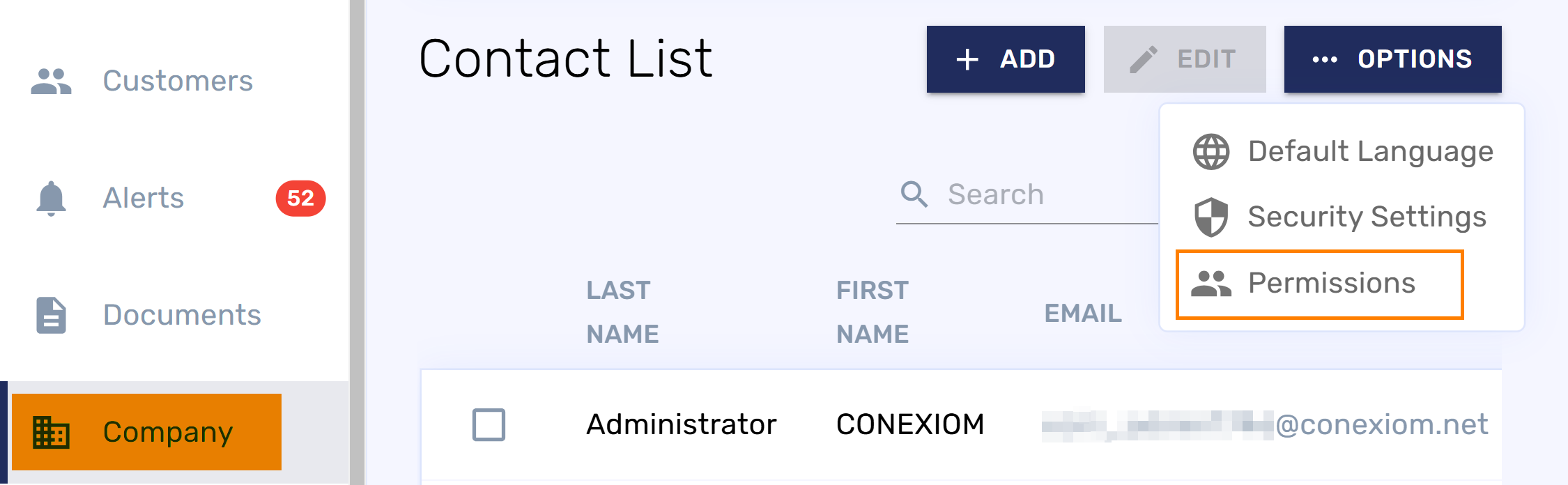
Click the Company Tab in the left navigation bar.
-
In the upper click Options and from the drop-down menu, select Permissions. The Permissions dialog displays.
-
Under Role on the left, ensure the correct role is highlighted for the permissions you want to modify.
Note: You may need to adjust permissions for multiple roles depending on your organization’s needs. -
Under Actions, locate Settings.
-
Under Permissions on the right, toggle the ON switch for the Settings Page and for the Express Page.
-
To apply the permissions, click Save Changes.
